Click on the NVivo menu (A) at the top menu bar.
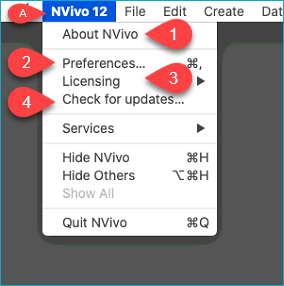
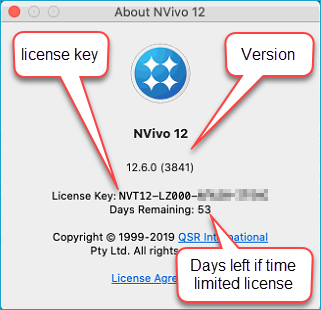
- See the status for your license, your, the current license key and what version of NVivo you have, see picture below.
- Gives you access to general settings for NVivo.
- Activate or deactivate your license (or replace the license).
- Check for updates. Try to always have the latest version of NVivo.
Read more here (NVivo partner 2011-2026)