Disable via the myLumivero Portal
From on NVivo 15.3, the AI feature can be disabled for a license in the myLumivero Portal by the license admin via Licenses - Manage licenses.
Disable Via Registry Key
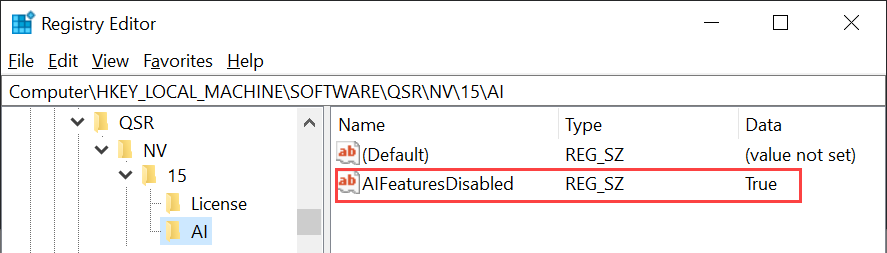
Administrators can disable AI features by setting the following string value:
- Path: HKEY_LOCAL_MACHINE\SOFTWARE\QSR\NV\15\AI\
- Value Name: AIFeaturesDisabled
- Value Data: True