Most online bibliographic databases offer the option of exporting search results to reference management programs. The hits are output in a special format for this purpose. Three formats are particularly common: RIS, EndNote (Tagged) and BibTeX. Citavi can import the hit lists formatted in this way.
1 Conduct your research in the database.
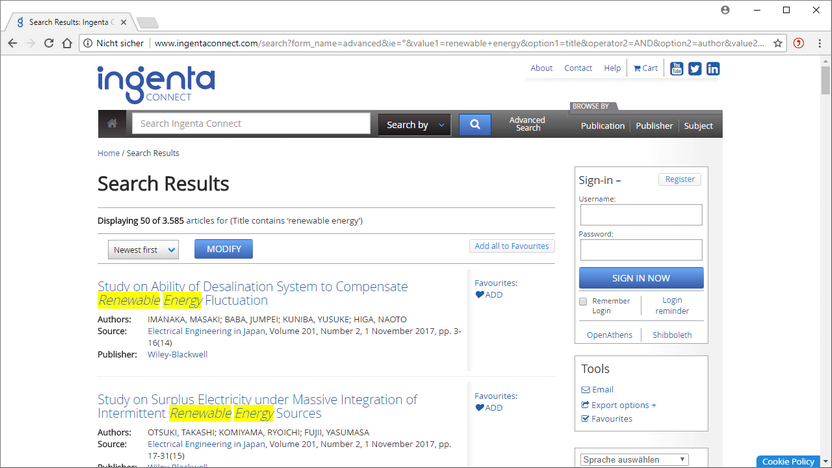
2 Depending on the provider, you have different options for controlling the number of hits found for export: only selected titles, all titles displayed on a page, all titles from a search. For the database shown here, click on Export options EndNote. For other databases, you will find terms such as: Download, Download Citations, Save Citations, Export to EndNote, Export to Reference Manager.
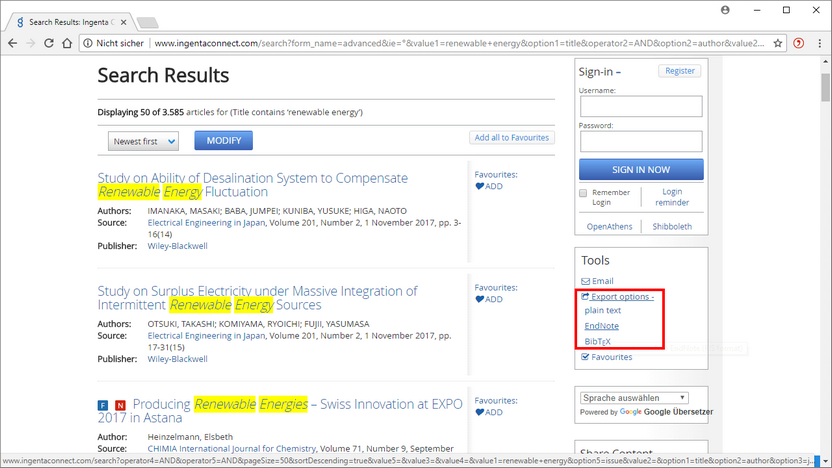
3 The first time you import files during a Citavi session, Citavi will ask you to check the character encoding. Citavi can usually recognize the character encoding correctly. However, if you see unusual characters in the preview, try different character encodings until you get legible text. Click Continue.
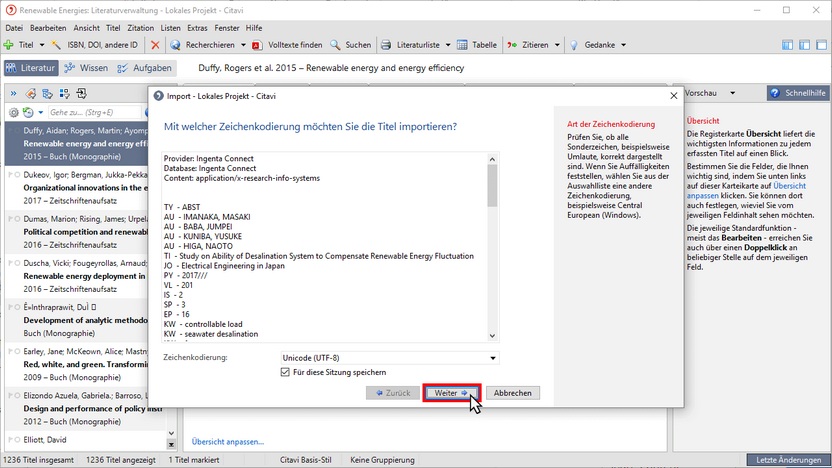
4 Check whether the order of the author names is as expected by Citavi. If necessary, adjust the order as you see it in the preview. Click Next.
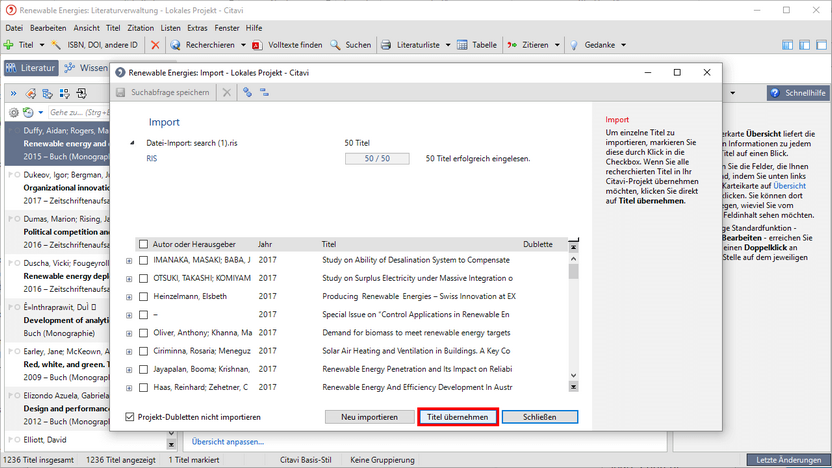
5 The new tracks have been imported into your project. Click Import Titles.
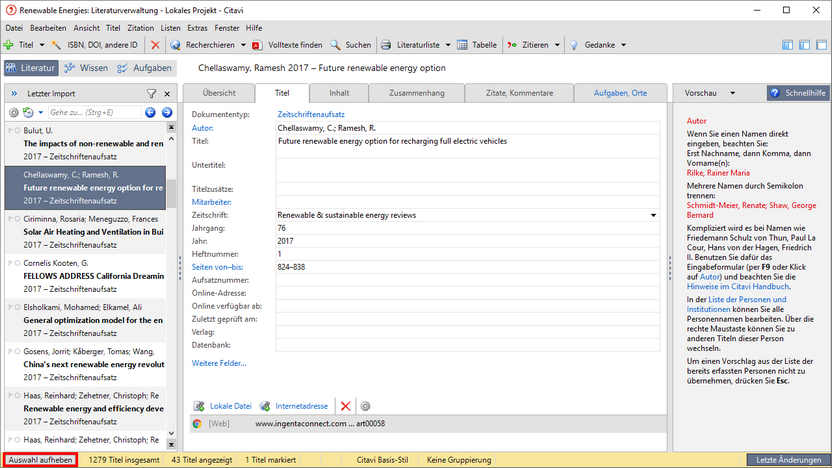
6 After reviewing the new additions, click Deselect to see all titles in your project again.
Selection of journal databases
Database (provider) |
Hit selection |
Command |
Format |
BiomedCentral (Springer Nature) |
Individually |
Export Citations |
|
|
All hits on a page |
Export References > EndNote |
||
IngentaConnect (Elsevier) |
All hits on a page |
Export Options > EndNote |
|
PubMed (NLM) |
All Hits |
Save > Format |
|
ScienceDirect (Elsevier) |
Individually (after logging in) |
Export Citations |
|
Scopus (Elsevier) |
All hits on a page |
Export |
|
SpringerLink (Springer) |
Individually |
Cite Article/Chapter |
|
|
Individually |
Download Citation |
||
Web of Science (Clarivate Analytics) |
All hits on a page |
Save to Other File Formats > Other Reference Software |
TXT > Web of Science-Filter in Citavi |